FSA Automation Service Pack

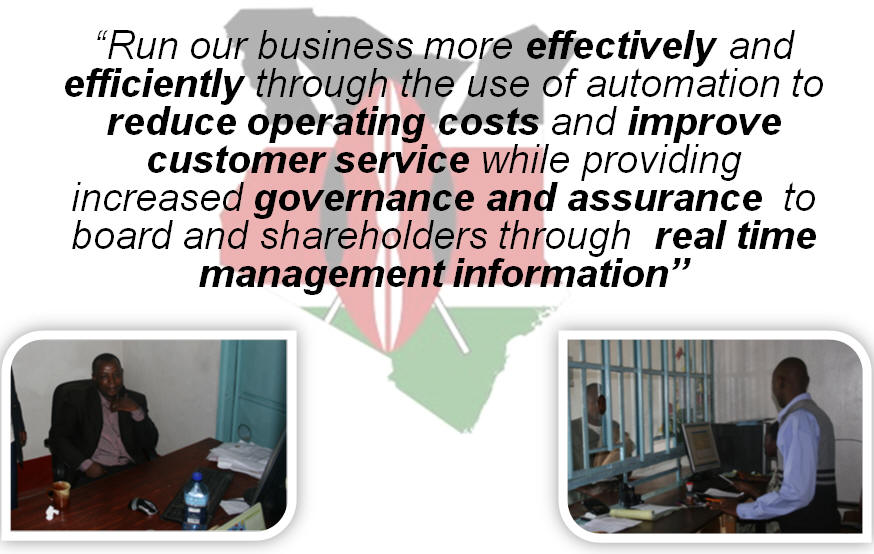
“Run our business more effectively and efficiently through the use of automation to reduce operating costs and improve customer service while providing increased governance and assurance to board and shareholders through real time management information”

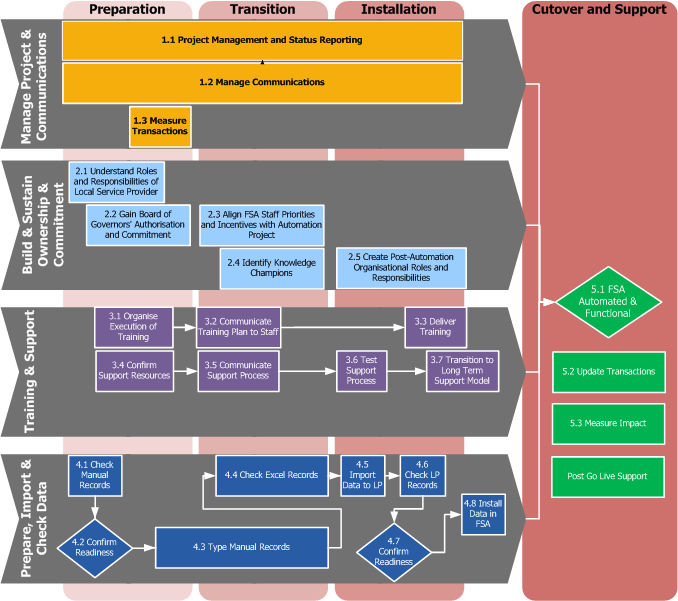
Welcome to the FSA Automation Service Pack - below it the high level methodology.  Drill down by clicking on the hyperlinks to see the underlying task instructions, and find links to the deliverables and work that needs to be performed at each stage.
FSA Service Pack

Service Pack Overview

This Service Pack has been created to contain the activities that are required for the FSA automation effort.  When worked through in sequence - will lead to the successful rollout of the Loan Performer software.

Key

  • Horizontal chevrons represent the different groups of activities that need to be performed in terms of type of activity
  • Vertical bars represent the different phases of the project in terms of timing
  • The boxes within the chevrons represent the different sub-activities that are required in each activity grouping
  • There are specific roles and responsibilities for all involved parties (i.e. Local Service Provider, FSA staff, and KFS) in each activity grouping
 
2.3 Align FSA Staff Priorities and Incentives with Automation... 5.3 Measure Impact 5.2 Update Transactions Post Go Live Support 1.3 Measure Transactions 1.1 Project Management and Status Reporting 2.4 Identify Knowledge Champions 1.2 Manage Communications 2.2 Gain Board of Governors' Authorisation and Commitment 2.5 Create Post-Automation Organisational Roles and... 2.1 Understand Roles and Responsibilities of Local Service... Prepare, Import & Check Data Training & Support Build & Sustain Ownership & Commitment Manage Project & Communications 5.1 FSA Automated &  Functional 4.7 Confirm Readiness 4.2 Confirm Readiness 3.7 Transition to Long Term Support Model 4.8 Install Data in FSA 4.6 Check LP Records 4.5  Import Data to LP 3.6 Test Support Process 3.4 Confirm Support Resources 4.4 Check Excel Records 4.3 Type Manual Records 4.1 Check Manual Records 3.5 Communicate Support Process 3.3 Deliver Training 3.2 Communicate Training Plan to Staff 3.1 Organise Execution of Training Preparation Installation Transition Cutover and Support
KFS